Évitez de partir de zéro : une bibliothèque prête à l’emploi de prompts et de Skills axés sur les rôles pour Claude, ChatGPT ou toute conversation avec une AI - à partir de 9 $, à vous définitivement.
Parcourir la bibliothèque de prompts →Dès qu’une équipe commence à utiliser Claude sérieusement, la même chose se produit partout : chacun rédige ses propres prompts, les meilleurs restent dans l’historique privé des conversations de quelqu’un et le même travail est recommencé depuis zéro avec de nouveaux prompts dix fois par semaine. Une bibliothèque de prompts Claude pour les équipes résout ce problème - elle transforme le bon prompt d’une personne en prompt accessible à tous, maintient une qualité constante et évite que l’entreprise ne réinvente discrètement les mêmes instructions. Voici comment en créer une que les gens utiliseront vraiment.
Pourquoi une bibliothèque de prompts d’équipe est préférable au travail en solo
Lorsque les prompts sont individuels, la qualité des résultats varie énormément : votre meilleur spécialiste du marketing obtient d’excellents résultats, une nouvelle recrue des résultats moyens, et personne ne sait pourquoi. Une bibliothèque partagée rassemble les prompts qui fonctionnent et les définit par défaut. Elle intègre également des normes : le ton approprié, les mentions légales requises et le format attendu par la finance. C’est grâce à la bibliothèque que « la façon dont nous utilisons l’AI ici » cesse d’être un savoir tribal.
Organisez-la comme les gens recherchent réellement
L’erreur la plus courante consiste à classer les prompts selon une taxonomie ingénieuse dont personne ne se souvient. Organisez-les selon les deux éléments auxquels les gens pensent : le rôle (marketing, ventes, HR, assistance, ingénierie) et la tâche (« rédiger une offre d’emploi », « résumer cet appel », « rédiger une réponse à une demande de remboursement »). Quelqu’un qui est pressé doit trouver le bon prompt en deux clics, sinon il improvisera - et c’est précisément l’habitude que vous cherchez à remplacer.
Faites de chaque prompt un modèle réutilisable, pas une solution ponctuelle
Une bonne entrée de bibliothèque n’est pas un bloc de texte figé ; elle contient des variables clairement indiquées que l’utilisateur peut remplir - [company], [audience], [the document]. Ainsi, un seul prompt peut servir dans une centaine de situations, et chacun peut l’adapter sans le réécrire. Ajoutez une note d’une ligne indiquant à quoi sert chaque prompt et à quoi ressemble un bon résultat, afin qu’il se suffise à lui-même.
Gérez-la avec légèreté
Les bibliothèques se dégradent sans responsable. Confiez à quelqu’un la responsabilité de la sélection : ajouter ce qui fonctionne, retirer ce qui ne fonctionne pas et conserver une version canonique de chaque prompt plutôt que cinq variantes. Maintenez un niveau d’exigence élevé : une petite bibliothèque de prompts qui fonctionnent de manière fiable vaut mieux qu’un vaste fourre-tout auquel personne ne fait confiance. Réexaminez-la chaque trimestre, comme vous le feriez pour toute ressource partagée.
Skills : l’étape supérieure aux prompts
Un prompt est une instruction que vous collez à chaque fois. Un skill est une configuration que vous chargez une fois et qui transforme Claude, ChatGPT ou tout chat AI en spécialiste d'une catégorie entière de tâches - recruteur, prévisionniste ou rédacteur publicitaire - qui pose les bonnes questions et produit des résultats structurés. Pour les tâches que votre équipe effectue constamment, un skill constitue un élément de base plus durable, et s'intègre dans la même structure de bibliothèque organisée par rôle.

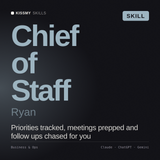
Toute bibliothèque a besoin d'un responsable pour la sélectionner, retirer les éléments obsolètes et la standardiser entre les équipes. Ryan est conçu exactement pour ce rôle transversal - chargez-le une fois, et la « revue trimestrielle » ci-dessus cesse d'être une corvée que personne n'accomplit.
Voir Ryan →Le raccourci : commencez par une bibliothèque prête à l'emploi
Créer une bibliothèque de zéro vaut le coup pour les prompts propres à votre entreprise - mais pour les tâches universelles (HR, ventes, marketing, support), vous reconstruisez ce qui existe déjà. Une bibliothèque prête à l'emploi et organisée par rôle permet à votre équipe d'atteindre une méthode de travail opérationnelle dès le premier jour, puis vous ajoutez vos prompts spécifiques à l'entreprise. Nous présentons des exemples pour chaque service dans notre guide sur les prompts Claude AI pour les entreprises, ainsi que les meilleurs prompts Claude pour le marketing, les ventes et la productivité.
Comment la déployer pour qu'elle s'inscrive dans la durée
Commencez avec les dix prompts que chaque équipe utilisera chaque semaine, et non une centaine dont elle pourrait avoir besoin un jour. Montrez à une équipe un vrai avant-après, laissez les résultats faire leurs preuves et faites de la bibliothèque le chemin le plus simple - un seul lien, facile à parcourir. L'adoption vient de l'utilité, pas des obligations.
Une bibliothèque de prompts prête à l'emploi pour votre équipe
Des prompts, skills et agents organisés par rôle pour Claude, ChatGPT ou tous les chats AI - à partir de 9 $. Donnez à votre équipe une méthode de travail opérationnelle dès le premier jour, puis ajoutez vos propres éléments par-dessus. Aucun abonnement. Ils vous appartiennent définitivement.
Parcourir la bibliothèque de prompts →KissMySkills est une marketplace de plus de 1 200 AI skills, prompts, agents et outils gratuits pour Claude, ChatGPT et tous les chats AI.