You do not have to pay for Claude skills - plenty of free prompts and tools exist, and they are a perfectly good place to start. So the real question is what you actually get when you pay. This guide compares free vs paid Claude skills honestly: what free options cover, where they fall short, and when it is worth moving up to a paid skill. It applies whether you use Claude, ChatGPT, or any AI chat, since a skill is just an instruction file either way.
The short version: free options are great for trying the idea and handling occasional tasks, while paid skills earn their price when you do the same kind of work often and need consistent, specialist-level output without the setup.

One of KissMySkills' most-downloaded paid skills - a complete, tested configuration for a role you'd otherwise repeat and re-explain to a free prompt every single time.
View Serge →What free Claude skills give you
Free mostly means GitHub. Anthropic publishes an official repository of skills - reference implementations including the document-handling skills that ship with Claude and the Skill Creator meta-skill - and there are community collections and personal dotfiles repositories on top of that. Three kinds of thing, and they are not equally useful:
- Anthropic's own repository. Well made and worth reading even if you never install anything from it, because it shows what the format is capable of.
- Community collections and awesome-lists. Hundreds of links, quality all over the place. Some are genuinely good single-purpose skills written by people who needed them. Many are a title, a paragraph, and nothing else.
-
Personal dotfiles repositories. Someone's own
~/.claude/skills/folder, published as-is - often the most interesting material and the least documented, written for one person's workflow that may not resemble yours.
All of it is free and readable before you install it. If you only need something once in a while, or the task is technical enough that you can judge the output yourself, that is often all you need - there is no reason to pay for occasional use.

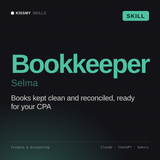
Chart of accounts logic, categorisation rules, month-end close checklist and reconciliation steps. Open the file and compare it against any bookkeeping skill you find in a repository.
View Selma →Where free options fall short
The limits show up with repetition. Free prompts are inconsistent - they work one day and drift the next, because they were never built and tested as a complete system. They rarely define output formats, so you re-explain what you want each time. And they are scattered, so you spend time hunting and tweaking instead of working. The single most common failure is the description line in the file header - the line Claude checks to decide whether a skill applies to your request. A repository skill with a vague one-liner either never triggers or triggers on everything, because the person who wrote it already knew when to use it and never had to write that down clearly. For one-off tasks none of that matters; for regular work it adds up to real lost time.
What you actually get when you pay
A paid skill is a complete, tested configuration rather than a single prompt. Four concrete things separate it from what you find free, and none of them are magic:
- A worked example of the deliverable. The better packs include a resource file with the finished thing, not a description of the finished thing - it shows you what you are buying and gives the model a concrete target to match instead of an abstract instruction to interpret.
- A description line that was actually thought about. Tested so it fires precisely on the situations it is meant for, not constantly and not never.
- Stated boundaries. What the role does not do, written down instead of assumed. A legal review skill that says it will not give jurisdiction-specific advice is more useful than one that confidently invents it.
- Someone maintaining it. Model behaviour shifts over time. A last-commit date and no obligation attached is not the same as active upkeep against how the model currently behaves.
You also get the hours back that you would have spent building and testing your own. The payment buys reliability and time, not magic.
What is Skill Creator and how do you use it?
Skill Creator is Anthropic's meta-skill: a skill whose job is helping you write other skills. It is published in the official skills repository, and it is the most useful thing on GitHub for anyone who has decided to build their own instead of buying. It works by interviewing you rather than generating from a one-line prompt: install it like any other skill, describe the job rather than the persona ("review supplier contracts for payment terms and liability caps," not "be a legal expert"), answer what it asks about triggers, output format and refusals, give it one real example of finished work to use as the reference, then test the trigger in a fresh conversation before you trust it. The first one takes about an hour, twenty minutes after that. If your workflow is genuinely specific to you, this beats buying - nothing for sale will fit better than the one you write yourself.

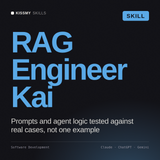
Chunking strategy, embedding choices, retrieval evaluation and the failure modes that only show up in production. Written for developers who will argue with it, which is the right audience for a free skill.
View Kai →How do you evaluate any skill before installing it?
This works the same whether the file came from GitHub, from us, or from a competitor. Five minutes, no installation needed:
- Read the description line first. It is at the top, in the header. If it describes a topic rather than a situation, the trigger will misfire. You want "use when" followed by something concrete.
- Look for a method with an order to it. Good files say what to ask before starting, what steps to take in sequence, and what to produce. Files that spend 400 words describing a personality and never name the deliverable will produce exactly what you would have got without them.
- Check for an example of finished output. A resources folder with a real deliverable inside is the strongest signal in the whole file. Its absence is not fatal, but it means you are buying a description of work rather than a sample of it.
- Judge length by specificity, not by size. A 300-line file of vague advice is worse than an 80-line file that names the exact format, the exact checks, and the exact refusals.
- Check what it refuses. Any skill in a regulated area that has no limits written into it was not thought about carefully.
- Check the date. On GitHub, look at the last commit. On a marketplace, look at whether the product page mentions updates at all.
If a marketplace will not show you what is inside before you buy, that tells you something. See also Claude skills vs MCP if you are still working out which of the two solves your problem.

Product page structure, collection logic, merchandising rules and the conversion checks worth running before a launch. Platform-specific in a way most repository skills are not.
View Bruna →The honest comparison
Free wins on cost and on casual, occasional use. Paid wins on consistency, on covering a full role, and on saving setup time for work you repeat. Neither is better in the abstract - it depends entirely on how often you do the task. A monthly one-off does not justify paying; a weekly core task almost always does.
A sensible path
The pragmatic route is to start free. Use free prompts, GitHub repositories, and generators to confirm that a configured AI helps with your work at all. The moment you notice you are doing the same task repeatedly, re-explaining the same format, or editing the same weak output, that is the signal to move up to a paid skill for that specific role. You upgrade where the time loss is real, and stay free everywhere else. In short:
- One-off task: no skill at all - write the instruction in the chat and move on.
- Technical work you can evaluate yourself: GitHub is fine. Read the file, fix what is wrong, keep it.
- A workflow nobody else has written down: build it with Skill Creator - nothing on sale will fit better than the one you write.
- A weekly job outside your own expertise: this is where a finished pack pays for itself, because the failure mode of a vague free skill is output that looks right and is not.
The bottom line
Free Claude skills - mostly found on GitHub - are the right starting point and fine for occasional use, especially when the task is technical and you can judge the output yourself. Paid skills are worth it when you need consistency and full-role coverage for work you do often: a worked example, a tested trigger, stated boundaries, and actual maintenance, not just a last-commit date. Test the difference at no cost with our 32 free skills - same structure and description discipline as anything paid. Installing works the same either way and takes about three minutes: how to install a Claude skill. For how the paid catalogue is organised by role, see our guide to the Claude skills marketplace.
Tested paid skills for the work you do every week - consistent output, full-role coverage, one-time download. Works with Claude, ChatGPT, or any AI chat.
Browse all skills →Read the marketplace guide →