Awesome Claude Skills è una lista curata delle migliori Skills di Claude - pronte all'uso SKILL.md file che trasformano Claude in uno specialista per un lavoro specifico. Questa pagina raccoglie i più utili per categoria, così puoi trovare una Skill adatta al tuo lavoro e installarla in pochi minuti invece di scorrere directory infinite.
È la prima volta che senti parlare di questo concetto? Una Skill di Claude è un file di istruzioni riutilizzabile che inserisci in Claude (o in qualsiasi chat AI), così si comporta come uno specialista formato fin dal primo messaggio. Di seguito trovi le categorie da cui vale la pena iniziare, l'utilità di ciascuna e dove trovare una Skill testata e pronta all'uso.
Come è organizzata questa lista
Invece di classificare centinaia di file, raggruppiamo le Skills in base al lavoro che svolgono - scegli il tuo ruolo o attività e vai direttamente al punto. Ogni raccolta collegata è un file pronto all'uso: scaricalo, incollalo nelle istruzioni della tua AI e parti. Preferisci provare prima di acquistare? Inizia dalle Skills gratuite o da un generatore gratuito.
Le selezioni qui sotto sono state scelte nello stesso modo in cui dovrebbe essere compilata qualsiasi buona lista dei "migliori": il lavoro deve essere abbastanza specifico da poter essere descritto in una frase, il pacchetto deve mostrare un esempio di lavoro finito e il ruolo deve essere davvero difficile da sostituire con un singolo prompt incollato. Una Skill che copre un intero reparto ti dà quattro mezze risposte; una Skill che copre un ruolo te ne dà una giusta.
Le migliori Skills di Claude per categoria
Marketing e crescita
Pianificazione delle campagne, testi per gli annunci, contenuti SEO ed email - tutto coerente con il brand. Ideale per marketer autonomi e piccoli team. Esplora le Skills di marketing.
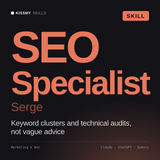
- Serge, specialista SEO. Cluster di parole chiave, audit tecnici, brief dei contenuti e analisi dei gap rispetto ai concorrenti - usalo quando decidi cosa pubblicare, non solo quando un tag title ha bisogno di essere riscritto.
- Lena, responsabile del content marketing. Cluster di argomenti, calendario editoriale di 90 giorni e regole per la voce del brand - il livello di pianificazione al di sopra della scrittura.
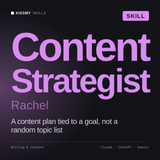
- Rachel, stratega dei contenuti. Ricerca sul pubblico, gerarchia dei messaggi e audit dei contenuti, quando nessuno concorda su quale obiettivo debbano raggiungere i contenuti.
- Maya, Social Media Manager. Calendari specifici per piattaforma, hook e piani di riproposizione dei contenuti - ideale per trasformare un contenuto lungo in quindici brevi senza farlo diventare scadente.
- Teo, specialista di video marketing. Hook, script, struttura della retention e montaggi specifici per piattaforma, quando il video ha già un punto e ha bisogno di essere modellato.
Vendite
Outreach a freddo, follow-up, domande di discovery e gestione delle obiezioni in linea con la tua sequenza. Esplora le skill per le vendite.
- Liam, SDR. Sequenze outbound, ricerca sui prospect e follow-up che non consistono nella stessa email inviata quattro volte - per l'outreach a freddo settimanale.
- Hugo, specialista HubSpot CRM. Configurazione della pipeline, proprietà, workflow e reportistica in HubSpot - specifico per il prodotto, così le risposte sono utilizzabili invece che generiche.
- Tyler, RevOps. Definizioni del funnel, regole di passaggio e accuratezza delle previsioni, quando nessuno riesce a concordare su cosa sia un lead qualificato.
- Luce, esperta di strategia dei funnel. Sequenza delle offerte, logica del funnel pagina per pagina e calcoli di ciò che deve convertire - utile prima di costruire, non dopo.
Lavoro e business
Note delle riunioni, SOP, report e documenti strategici sempre nel tuo formato. Esplora le skill per lavoro e business.
- Diane, assistente esecutiva. Gestione della posta in arrivo, preparazione delle riunioni, agende e follow-up che determinano silenziosamente se le decisioni vengono attuate - la skill più ampiamente utile di questa pagina e un ottimo primo acquisto se ne compri una sola.
- Ryan, Chief of Staff. Framework per le priorità, memo decisionali e trasformazione di una conversazione dirigenziale caotica in azioni assegnate.
- Jordan, recruiter. Descrizioni delle posizioni, criteri di selezione e griglie strutturate per i colloqui - usalo prima di pubblicare la posizione, non dopo aver ricevuto 200 candidature.
- Serena, analista di mercato. Dimensionamento, segmentazione, analisi approfondite della concorrenza e progettazione di sondaggi. Distingue ciò che è supportato da prove dalle proprie ipotesi, un aspetto qui più importante che in qualsiasi altro ambito.
Programmazione e Claude Code
Revisione del codice secondo i tuoi standard, documentazione, test e architettura. È qui che le skill di Claude Code danno il meglio. Leggi la guida alle skill di Claude Code per scoprire come si attivano automaticamente.
- Max, sviluppatore Full Stack. Decisioni architetturali, progettazione delle API e revisione del codice su front-end e back-end - il valore sta nella disciplina della revisione, non nella generazione del codice.
- Hana, Sviluppatrice WordPress. Lavoro su temi e plugin, correzioni delle prestazioni e i modi specifici in cui WordPress si rompe. Ne vale la pena se WordPress è la tua piattaforma quotidiana anziché una visita occasionale.
- Lena, Sviluppatrice frontend. Struttura dei componenti, accessibilità e CSS che resiste a un redesign. Gratuito.
- Santiago, Ingegnere DevOps. Pipeline, infrastruttura come codice e runbook per gli incidenti. Anche gratuito, e un buon modo per capire se i file delle skill ti sono utili prima di spendere qualcosa.
Legale e finanza
Revisione dei contratti, spiegazioni delle clausole, riepiloghi finanziari e reporting. Esplora le skill legali e finanziarie.
- Leon, Consulente legale interno. Valutazione dei rischi commerciali, redazione di policy e la conversazione sul "dovremmo firmarlo" - la cosa più vicina qui a un generalista legale che conosce l'azienda.
- Vera, Revisora di documenti legali. Revisione strutturata di documenti lunghi, con problemi segnalati in base alla gravità - per quaranta pagine e venti minuti.
- Marco, Revisore di contratti. Revisioni riga per riga dei contratti commerciali standard, con posizioni di riserva. Più specializzato di Vera e migliore esattamente in quell'unica cosa.
- Petra, Analista FP&A. Scostamenti tra budget e consuntivo, modelli basati sui driver e previsioni a scorrimento. Chiede quali siano i driver prima di costruire qualsiasi cosa, che è proprio la parte che più spesso viene saltata.
- Miles, Analista finanziario. Valutazioni, logica dei tre prospetti e memorandum d'investimento. Scegli Miles per analizzare una decisione; scegli Petra per gestire un piano.
- Victor, CFO. Runway, struttura del capitale, report per il consiglio di amministrazione e le domande che un investitore porrà davvero - la skill per la conversazione al di sopra del foglio di calcolo.
- Iris, Reporting finanziario. Report di fine mese, commenti della direzione e note integrative al bilancio. Ideale quando i numeri esistono già e il collo di bottiglia è il testo che li accompagna.
- Werner, consulente SAP FICO. Logica di configurazione, flussi documentali e problemi di riconciliazione nella contabilità SAP. Molto specifico, ed è proprio per questo che funziona.
Creatività e contenuti
Ghostwriting, sceneggiature, contenuti per i social e storytelling del brand con la tua voce. Esplora le Skills creative e per i contenuti.
- Charlotte, ghostwriter. Scrive con la voce di qualcun altro a partire da note d'intervista e campioni precedenti - la fase dell'intervista è ciò che lo distingue da un generico prompt di scrittura.
- Halbert, direttore artistico. Direzione creativa, concept brief e critiche oneste dei lavori visivi. Gratis e insolitamente bravo a dirti quando un concept è debole.
Apprendimento e ricerca
Riassunti di articoli, guide allo studio e ricerca strutturata. Esplora le Skills per apprendimento e ricerca.
- Vera, tutor allo studio. Spiega, ti mette alla prova e individua dove si è effettivamente interrotta la comprensione. Gratis e una delle Skills migliori qui per l'uso quotidiano.
Salute, viaggi, cibo e casa
Skills anche per la gestione della vita quotidiana - benessere, itinerari, pianificazione dei pasti. Esplora le Skills di salute, viaggi e cibo e casa.
- Michael, medico di base. Spiega patologie, esami e opzioni di trattamento in un linguaggio semplice, indicando chiaramente quando serve una visita reale. Gratis.
- Sophia, terapista e counselor. Conversazioni riflessive e strategie per affrontare le difficoltà, con le situazioni di crisi indirizzate a un aiuto reale invece di essere gestite qui. Gratis.
Queste sono le Skills in cui i confini interni al file contano più del metodo - quelle valide rifiutano le richieste, e lo dicono.

Se non sai da dove iniziare in questo elenco, Thomas è la singola Skill con il maggiore impatto nella categoria Lavoro & Business - documenti strategici, SOP e report nel tuo formato, ogni volta.
Visualizza Thomas →
Regole per la gestione della posta in arrivo, agende delle riunioni, note informative prima delle chiamate e un formato per i follow-up che chiude i cicli. Funziona con qualsiasi ruolo professionale, ed è per questo che vende più degli specialisti.
Visualizza Diane →Skill ufficiali di Anthropic da conoscere
Oltre agli Skill basati sui ruoli, Anthropic offre una serie di Skill integrati per lavorare sui documenti - PowerPoint, Excel, Word e PDF - che Claude può utilizzare automaticamente quando chiedi questi formati. Sono un buon punto di partenza; gli Skill curati qui sopra aggiungono profondità per ruoli professionali specifici che la raccolta ufficiale non copre.
Come usare qualsiasi Skill di questo elenco
-
Ottieni il file - di solito un file
.md. Si apre in qualsiasi editor di testo. - Apri la tua chat AI - Claude, ChatGPT, Gemini e la maggior parte degli assistenti che accettano un prompt di sistema.
- Incollalo nelle istruzioni personalizzate e salva.
- Inizia a lavorare - la tua AI ora risponde come uno specialista. Senza dover riscrivere il prompt.
Guida completa: come installare uno Skill di Claude.
Come scegliere lo Skill giusto
- Frequenza - automatizza l'attività che ripeti più spesso: recupererai l'investimento più rapidamente.
- Problemi di coerenza - scegli l'attività per cui la qualità dell'output varia in base a come scrivi il prompt.
- Attività con formattazione complessa - report, revisioni ed email sono candidati perfetti per uno Skill.
Il limite da conoscere: un file Skill non rende il modello più intelligente. Lo rende coerente e ti evita di dover rispiegare il contesto in ogni nuova chat. Se la risposta di base sarebbe stata errata, otterrai la stessa risposta errata in un formato migliore.
Domande frequenti
Che cos'è "awesome Claude skills"?
È un elenco curato dei migliori e più utili Skill di Claude, pronti all'uso SKILL.md file organizzati per ruolo e attività, così puoi trovare e installare rapidamente quello adatto al tuo lavoro.
Dove posso scaricare gli Skill di Claude?
Dalla libreria KissMySkills (oltre 1.200 Skill, prompts e agenti), dagli Skill ufficiali per documenti di Anthropic integrati in Claude o dai repository della community. Inizia dagli Skill gratuiti per testare il flusso di lavoro.
Gli Skill di Claude funzionano con ChatGPT e Gemini?
Sì. Un file Skill contiene istruzioni portabili: incollalo nelle istruzioni personalizzate di ChatGPT o Gemini per ottenere lo stesso comportamento. La funzionalità nativa Skills con attivazione automatica è specifica di Claude.
Questi Skill sono gratuiti?
Alcuni lo sono: consulta gli Skill gratuiti e i generatori gratuiti. Sei elementi nominati in questa pagina sono gratuiti: Lena, la sviluppatrice frontend, Santiago, l'ingegnere DevOps, Halbert, il direttore artistico, Michael, Sophia e Vera, la tutor per lo studio. L'intera libreria curata ha un costo contenuto, è disponibile per il download immediato e include una garanzia di 30 giorni.
Inizia dall'attività che svolgi più spesso
Scegli la categoria che occupa la maggior parte della tua settimana e scegli uno Skill. Esplora il marketplace completo degli Skill di Claude oppure leggi cosa sono gli Skill di Claude se è una novità per te.