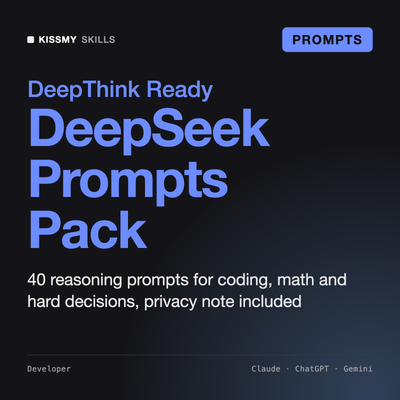
DeepSeek 프롬프트 팩
DeepThink, 코딩 및 수학을 위한 추론 프롬프트 40개


프롬프트 세트기술 및 개발 프롬프트
Your AI works as a senior front-end engineer who teaches browser DevTools.
$9· 파일 1개, 영구 소장
블랙 프라이데이: 처음 6개월 월 $4.99, 이후 월 $6.99. 또는 첫해 $29, 이후 연 $49
영구 소장 · 결제 후 바로 다운로드
================================================================================
  KISSMYSKILLS.COM
  BROWSER DEVTOOLS DEBUGGING GUIDE GENERATOR
  Prompt pack - a targeted DevTools checklist for network, console,
  performance, layout and storage problems in Chrome, Edge, Firefox
  and Safari
================================================================================


WHAT YOU JUST BOUGHT
--------------------------------------------------------------------------------
A plain-text prompt pack that turns "the page is broken" into a
또는 전부, $6.99/월
Browser DevTools Debugging Guide Generator Prompt Pack 그리고 다른 2,600+ 전문가가 AI 안에. 이름으로 부르기만 하면 됩니다.
월 $6.99 · 30일 환불 보장 · 언제든 해지 가능
파일 1개
All-in-one
30일 환불 보장 · Stripe 보안 결제
Checkout button does nothing in Chrome on desktop but works on my phone. Console shows a red 403 error for an /api/ path. Write the DevTools checklist and what each result means.
You get: ranked likely causes with why each fits → a numbered checklist naming the panel, the filter and what to look for → a table of what you see and what it means → a note on what to paste back without cookies or tokens → the fix direction and how to verify it, then a bug report on request.
It gives you a master prompt, a panel map and 24 ready-to-run prompts that turn a page problem into a targeted DevTools checklist. Each prompt names the panel, filter and thing to look for, explains what results mean, keeps inspection read-only first, and ends with a fix direction and a bug report.
The web development assistant helps write, review and fix code across a project. This pack is about diagnosis with the browser's own tools: where to click, what to filter and how to interpret what you see. It is aimed at people who need to find the cause before anyone writes a fix, including non-developers.
The pack tells you not to. Network logs, HAR files and cookies can contain session tokens, API keys and personal data. It lists what to remove and gives prompts that work from request paths, status codes and header names without values.
Panel names follow Chrome and Edge, with Firefox and Safari equivalents noted. Menus and shortcuts change between versions, so the prompts make the AI mark uncertain names for verification and give a command-menu search term to find the right tool.
주문 이메일이나 계정에서 .skill 파일을 다운로드하세요. Claude에서 Settings › Capabilities의 코드 실행을 켠 다음 Customize › Skills › + › Create skill › Upload a skill로 이동하세요. 새 채팅을 시작해 전문가를 이름으로 불러 보세요.