This comparison has an expiry date on it now. OpenAI is retiring custom GPTs: new ones can no longer be created on personal ChatGPT accounts at all, creation ends everywhere on 25 September 2026, and existing GPTs stop running on 11 December 2026. So the live question is no longer "which should I build" but "what do I do with the one I already have". A Claude skill answers that differently from a hosted assistant, because it is a file you keep rather than a configuration on someone's server.
Updated 15 September 2026. Dates and plan requirements below were read from OpenAI's and Anthropic's own help documentation on the day of writing, and both are moving quickly - OpenAI notes its timeline can vary by workspace, so check the linked pages before you act on a deadline. If you want the catalogue rather than the comparison, read what a Claude skills marketplace actually sells. To browse the files themselves, see all Claude skills by role.
What is happening to custom GPTs?
OpenAI is replacing them with something it calls Plugins, described in its own words as a way "to bring reusable instructions and connected apps together". The wind-down is already under way.
| Date | What happens |
|---|---|
| Already in force | New GPT creation and publishing are unavailable on personal accounts - OpenAI names Free, Go, Plus and Pro. Only Business, Enterprise and Edu workspaces can still create one. |
| 25 September 2026 | Creation of new custom GPTs ends. |
| 11 December 2026 | Custom GPTs stop running and leave the GPT directory. Migrated links are planned to redirect to their replacements. |
OpenAI's timeline is published against Enterprise workspaces with other plans expected to follow, and it says dates can vary, so treat the two above as the shape of the change rather than a promise. The direction is not in doubt: OpenAI's own retirement FAQ is the place to check your exact workspace.
What each one actually is
Most comparisons of these two describe them as the same thing with different logos. They are not, and the difference is what determines what you are left holding in December.
A custom GPT is a configuration stored in OpenAI's product: a name, instructions, up to 20 knowledge files of up to 512 MB each, a set of switched-on capabilities such as web search, image generation, Canvas and code interpreter, and optionally actions that call external APIs. You share it with a link. It runs inside ChatGPT and nowhere else, and it exists for exactly as long as OpenAI runs it.
A Claude skill is a folder on a filesystem. At its root is a SKILL.md carrying YAML frontmatter - a name and a description - followed by the instructions themselves. Alongside it a skill can bundle further markdown files, reference material and executable scripts. Claude loads it in stages: the description sits in context permanently at around a hundred tokens so Claude knows when the skill applies, the body loads only when a request matches, and bundled files load only when the task reaches for them. Scripts run without their code ever entering the conversation.
That staged loading is why a skill does not decay over a long chat the way a pasted prompt does, and it is also the part that is genuinely Claude-specific. Which brings us to the honest version of the portability claim.
Is a Claude skill really portable?
Two answers, and pages that give only the first one are selling you something.
-
The instructions are portable. A
SKILL.mdis plain Markdown. Open it, copy it, paste it into ChatGPT custom instructions, a Gemini gem, Copilot or any assistant that accepts standing instructions, and the method travels intact. Nothing is locked. - The runtime is not. Automatic triggering, staged loading and bundled scripts are features of Claude's Skills system. Paste the same file elsewhere and you get the instructions applying to everything in that chat, rather than switching on when relevant. For a single-purpose project that is often what you wanted; for a general assistant you keep several skills for, it is a real downgrade.
So the file is yours and works anywhere. The convenience layer is Claude's. That is a smaller claim than "works everywhere identically", and it is the true one.
Side by side
| Claude skill | Custom GPT | |
|---|---|---|
| What you hold | A folder of files on your disk | A configuration on OpenAI's servers |
| Still being created? | Yes | No on personal accounts; ends everywhere 25 Sep 2026 |
| Lifespan | As long as you keep the file | Stops running 11 Dec 2026 |
| To create one | Any text editor | Business, Enterprise or Edu workspace |
| To upload in the app | Claude on Pro, Max, Team or Enterprise, with code execution on | ChatGPT, same workspace requirement |
| On a free plan | No Skills menu; paste the file's contents instead | Can use GPTs others made, cannot make one |
| Hosted knowledge files | No - bundle files in the folder yourself | Yes, up to 20 files, 512 MB each |
| Calls external APIs | No | Yes, via actions - which do not survive migration |
| Discovery by strangers | None | GPT directory, until it closes |
| Sharing with a team | Send the file. On claude.ai each person uploads their own copy | A link, inside your workspace |
Read that table honestly and the custom GPT wins two rows that matter: hosted knowledge files and actions that call your systems. Nothing in a skill file replaces an action. If that is what your GPT did, your replacement is Plugins or a proper integration, not a Markdown file, and anyone telling you otherwise has not built one.
If you have a custom GPT right now, do this
- List the ones you actually use. Most people who built a dozen use two.
- Copy the instructions out today, into a plain text file. This is the part with your thinking in it, and it is the part that survives any platform decision, including this one. Once a GPT is migrated it goes read-only, and after 11 December it is gone.
- Write down what each one connected to. Actions do not migrate. If a GPT called your CRM or an internal endpoint, that integration is a rebuild, and it is better scoped now than in December.
- Save the knowledge files separately. They live in the GPT, not in your drive, and nobody will hand them back to you afterwards.
- Then pick a destination. Plugins if you need the connected-app half. A ChatGPT Project if you mainly needed a container for documents and history. A skill file if what you actually built was a specialist: a role, a method, a voice, a standard for finished work.
That third category is most of them. Most custom GPTs were never integrations; they were a long instructions box describing how someone wanted a job done. That converts to a SKILL.md almost line for line, and once it is a file, no vendor's roadmap can retire it.
Buying the specialist instead of rebuilding it
If you are rewriting a role from scratch anyway, it is worth knowing that a profession is not company-specific. A WordPress SEO specialist knows the same things at your company as at anyone else's, and the several hours of drafting and testing to get there have been spent already. Buy the method, write your own knowledge block, keep the file.

Keyword clusters, technical audits, content briefs and competitor gap analysis, as four named deliverables rather than a personality. You can read the whole method before you buy it.
View Serge →
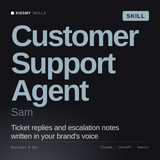
De-escalation and retention rules already written, including the refusals: what it must never promise, never guess at, and always hand to a human. Those rules are what a public-facing assistant lives or dies on.
View Sam →
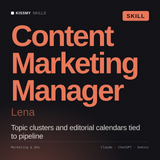
Built around topic clusters and a 90-day calendar rather than one-off drafts, which is what holds a voice steady across months of posts instead of one good article.
View Lena →What a skill file will not do
- It will not call your systems. No CRM, no calendar, no internal API. If your GPT used actions, a skill file is not the replacement for that half of it.
- It will not host your documents. There is no 512 MB upload sitting behind it. You bundle reference files in the folder, or paste what the task needs.
- It will not make a weaker answer stronger. A skill makes a good model consistent. If the underlying answer would have been wrong, you get the same wrong answer in a better format.
- It will not be found by strangers. There is no directory of your skills and no install count. That is a loss if distribution was the point of your GPT.
- It will not deploy itself to your team. On claude.ai a custom skill is personal to each user, with no central admin distribution, so a team of eight means eight uploads of the same file.
SKILL.md and any bundled scripts and read them first. You could never do that with a hosted GPT.
In summary
Custom GPTs are being retired - creation ends 25 September 2026, they stop running 11 December 2026, and actions do not survive migration. Get your instructions and knowledge files out now, while the GPT is still editable. If what you built was an integration, your route is Plugins. If it was a specialist - a role, a method, a voice - it converts to a SKILL.md almost line for line, and a file cannot be retired by anyone but you. Ready-made role specialists are $19 each: Serge for search, Sam for support, Lena for content, and over 2,000 more by role. All with a 30-day money-back guarantee.
Where to go next
If you are writing the file yourself, the four-block persona template is the fastest way to turn GPT instructions into a skill that holds its shape. If you are installing one, the install guide covers the plan and code-execution requirements and the paste-in route for the free plan. And the free browser tools let you see the writing style of these files before spending anything.
Related Guides
A specialist you keep, whatever the platform does next
Over 2,000 role skills, each a readable file you download once and own. No subscription, no directory that can close, 30-day money-back guarantee.
Browse all skills →KissMySkills is a marketplace of 2,000+ AI skills, 300+ prompt packs, 100+ agents & free tools for Claude, ChatGPT & any AI chat.