AI 電子郵件自動化:如何自動撰寫、寄送與最佳化電子郵件

電子郵件仍是 ROI 最高的渠道 - AI 讓它更上一層樓

電子郵件行銷每投入 1 美元,平均可帶來 36-42 美元的回報 - 在 2026 年高於任何其他數位行銷渠道。AI 電子郵件自動化不會改變這項 ROI 動態。它會放大這項效益:在電子郵件上的相同投資,搭配更好的時機、更精準的個人化和更優質的文案,能按比例帶來更多營收。

本指南涵蓋 AI 電子郵件自動化的每一個層面 - 從撰寫電子郵件、智慧化寄送,到根據成效進行最佳化 - 並為每個層面提供具體工具和設定步驟。

第 1 層的 Skill 檔案
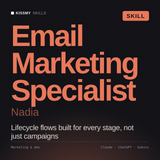
Nadia - 電子郵件行銷專家 AI Skill
$29這個 Skill 相較之下 $150每小時,電子郵件顧問

第 1 層的 Claude 電子郵件撰寫工作流程提到,在下 prompt 前先載入電子郵件行銷 Skill 檔案 - Nadia 就是那個檔案,已經調校為能在初稿階段就產出可直接使用的主旨、預覽文字和正文文案。

查看 Nadia →

第 1 層:使用 AI 撰寫電子郵件

撰寫層是大多數電子郵件團隊使用 AI 的地方,也是優劣 AI 使用方式之間品質差距最大的地方。能讓電子郵件獲得開啟,與讓電子郵件被忽略的 AI 撰寫內容之間的差異,幾乎完全取決於 prompt。

Claude 電子郵件撰寫工作流程

對於任何電子郵件行銷活動,載入 Claude 的電子郵件行銷 Skill 檔案(可在 KissMySkills 取得),並使用這個 prompt 結構:

為 [AUDIENCE SEGMENT] 撰寫一封 [TYPE] 電子郵件。
目標:[CONVERSION GOAL - e.g. "get them to book a demo" or "re-engage inactive subscribers"]。
主旨:提供 5 個選項,分別運用不同的心理機制(好奇心、緊迫感、利益、社會認同、直接訴求)。
預覽文字:提供 3 個選項,每個不得超過 90 個字元。
正文:[WORD COUNT] 字以內。開頭一句必須引發好奇心,或確認收件人來對了地方。只能有一個 CTA。
語氣:[BRAND TONE]。
這封電子郵件絕對不能做的事:以「希望你一切安好」開頭、使用驚嘆號,或以我們的公司名稱開頭。

這個 prompt 結構在第一次執行時就能產出只需稍加編輯即可使用的電子郵件文案 - 而不是需要重寫的版本。

何時使用 AI,何時手動撰寫

  • 使用 AI 處理:培育序列、交易型範本、重新互動行銷活動、電子報草稿、A/B 測試版本、季節性行銷活動
  • 手動撰寫(搭配 AI 潤飾):重要的發布電子郵件、由具名寄件者發送的個人訊息、危機溝通,以及高度仰賴關係的外展訊息

第 2 層:運用 AI 掌握電子郵件寄送時機

寄送電子郵件的時間,在可衡量的程度上與內容同樣重要。AI 寄送時間最佳化會分析個別訂閱者的行為 - 他們過去開啟電子郵件的時間、互動的日期,以及所在時區 - 並在預測出對每位收件者而言最佳的時刻寄送每封電子郵件。

值得採用的平台實作方式

  • Klaviyo 智慧寄送時間:分析每位聯絡人過去的開信行為,並在預先設定的時間範圍內,於個人最可能開信的時段寄送。測試顯示,相較於固定寄送時間,開信率 consistently 提升 10-20%。
  • HubSpot 寄送時間最佳化:類似的預測寄送時間功能。可在任何電子郵件行銷活動中啟用。需要累積 90 天以上的聯絡人寄送歷史資料,才能實現完整的預測功能。
  • ActiveCampaign 預測寄送:採用相同原理。在培育序列中最適合使用,因為序列中每封電子郵件的寄送時機都會影響互動動能。

第 3 層:AI 驅動的個人化

對清單中的每位聯絡人都傳送相同內容的靜態電子郵件,代表你正讓可觀的營收白白流失。AI 個人化會運用你所掌握的每位聯絡人資訊,向他們呈現最符合其情境的訊息版本。

依實作複雜度排列的個人化層級

  1. 合併標籤個人化 - 名字、公司名稱、使用的產品。每個 ESP 都已支援。雖然不是 AI,但這是基礎層。
  2. 以區段為基礎的內容 - 為不同聯絡人區段(產業、生命週期階段、購買歷史)提供不同的電子郵件版本。AI 會選擇相應版本。Klaviyo、HubSpot 和 ActiveCampaign 均可使用。
  3. 動態內容區塊 - 在同一封電子郵件中,系統會根據不同聯絡人的屬性顯示不同區段。案例研究區塊會顯示最相關的產業範例。CTA 會根據生命週期階段變更。
  4. AI 產品推薦 - 對電子商務而言,AI 會根據瀏覽記錄、購買記錄和預測性偏好推薦產品。Klaviyo 和 Shopify Email 都支援此功能。對交易型電子郵件而言,實作複雜度最高,但營收影響也最大。

第 4 層:AI 驅動的最佳化

最佳化能完成閉環。沒有最佳化,AI 自動化只會在設定階段改善,卻不會持續累積成效。有了最佳化,每個週期都能產生比上一次更好的結果。

每月電子郵件最佳化工作流程

  1. 成效稽核(30 分鐘): 匯出每封啟用中自動化電子郵件的開信率、點擊率和轉換率。標記任何低於基準值超過 20% 的電子郵件。
  2. Claude 診斷(15 分鐘): 將成效不佳的電子郵件及其成效資料貼到 Claude 中:「這封電子郵件的 [X]% 開信率,相較於我們的 [Y]% 基準值。請檢視主旨、開頭句和 CTA,具體告訴我應該修改什麼,以及原因。」
  3. 重寫並進行 A/B 測試: 將 Claude 建議的變更作為 B 版本實施。執行 2 週後,採用勝出版本。
  4. 記錄模式: 記下哪些地方有所變更,以及成效如何變化。經過 6 個月後,這會成為一個模式資料庫,顯示哪些電子郵件結構適合你的特定受眾。

準備好將這些付諸實行了嗎? 瀏覽適用於 Claude 和 ChatGPT 的行銷與廣告 Skill,或探索所有 Claude Skillprompt 資料庫

相關 Skill 指南

常見問題

What are the four layers of AI email automation and what does each one do?+

The four layers are: writing (using Claude with a structured prompt and email marketing skill file to produce subject lines, preview text, and body copy ready for light editing on the first run); sending intelligently (AI send time optimisation analysing each subscriber's historical open behaviour to send at their individual predicted optimal moment, consistently improving open rates 10–20% versus fixed send times); personalisation (ranging from merge tags through segment-based variants to dynamic content blocks and AI product recommendations, each layer adding implementation complexity and revenue impact); and optimisation (a monthly audit cycle identifying underperforming emails, diagnosing them with Claude, A/B testing the improved variant, and documenting what changed — compounding improvement over time).

What prompt structure produces AI-written email copy that requires minimal editing?+

The structure that consistently produces ready-to-edit output: specify the email type and audience segment; define the conversion goal precisely; request five subject line options each using a different psychological mechanism (curiosity, urgency, benefit, social proof, direct); request three preview text options under 90 characters; specify word count with instructions that the opening line must create curiosity or confirm the reader is in the right place and that there should be one CTA only; state the brand tone; and explicitly list what the email must not do — starting with pleasantries, using exclamation marks, or leading with the company name. Loading a brand voice skill file before running this prompt improves output quality further.

When should email teams use AI to write and when should they write manually?+

Use AI for the high-volume, repeatable formats: nurture sequences, transactional templates, re-engagement campaigns, newsletter drafts, A/B test variants, and seasonal campaigns. Write manually with AI polish for situations where the personal relationship is the point: critical launch emails, personal messages from a named sender, crisis communications, and highly relationship-dependent outreach where the authenticity of a human voice matters to the recipient. The distinction is between emails where quality and volume are the goal versus emails where a specific human relationship is on the line.

Which AI send time optimisation tools are worth using and what do they require?+

Three platform implementations deliver consistent results: Klaviyo Smart Send Time analyses each contact's historical open behaviour and sends within a defined window when that individual is most likely to open, producing 10–20% open rate improvements in tests versus fixed send times. HubSpot Send Time Optimisation works on the same principle but requires 90 or more days of contact send history before becoming fully predictive. ActiveCampaign Predictive Sending functions similarly and works best in nurture sequences where timing momentum across the sequence matters for engagement. All three require sufficient historical send data per contact — below that threshold they default to statistical averages rather than individual prediction.

What does an effective monthly AI email optimisation cycle look like?+

Four steps taking under an hour total: a 30-minute performance audit exporting open rate, click rate, and conversion rate for every active automation email and flagging anything performing more than 20% below benchmark. A 15-minute Claude diagnosis session pasting the underperforming email plus its performance data and asking specifically what to change in the subject line, opening line, and CTA and why. Implementing the suggested changes as a B variant and running an A/B test for two weeks before applying the winner. Documenting what changed and how performance shifted — over six months this builds a pattern library showing which email structures work for your specific audience, compounding improvement with every cycle.

~/get-started

實用的 Skills。不說空話。

瀏覽商店中的每個技能、prompt 套件和 agent。

瀏覽所有技能 →或試試免費工具