Notion AI ist der in Notion integrierte Assistent - er schreibt, fasst zusammen und beantwortet Fragen mithilfe der Notizen, Dokumente und Datenbanken, die sich bereits in deinem Arbeitsbereich befinden. Weil er dort verfügbar ist, wo deine Arbeit stattfindet, ist er eine der einfachsten Möglichkeiten, AI täglich einzusetzen: kein Kopieren und Einfügen zwischen Tabs. Dieser Leitfaden zeigt, was Notion AI kann, für welche Aufgaben es sich wirklich eignet, wie du bessere Ergebnisse erzielst und wann ein dedizierter Claude Skill übernimmt, wenn du echte Tiefe brauchst.

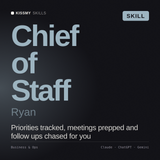
Notion AI bringt deine Notizen in Ordnung; Ryan macht daraus Entscheidungen, Pläne und Prioritäten in Claude - die Rolle ist bereits geschrieben.
Ryan - Chief of Staff AI Skill anzeigen →Was ist Notion AI?
Notion AI ist eine Reihe von AI-Funktionen, die direkt in Notion integriert sind, der beliebten Arbeitsbereich-App für Notizen, Dokumente, Wikis und Datenbanken. Es kann Texte entwerfen und umschreiben, lange Seiten zusammenfassen, Antworten aus deinen bestehenden Inhalten herausziehen, übersetzen und Datenbankfelder automatisch ausfüllen. Der entscheidende Vorteil ist der Kontext: Da es die Seiten und Datenbanken liest, die du bereits in Notion pflegst, basieren seine Antworten auf deinen eigenen Inhalten statt auf dem offenen Internet.
Worin Notion AI gut ist
- Schreiben und Umschreiben: Erstelle einen ersten Entwurf eines Dokuments, ändere den Ton oder straffe einen ausschweifenden Absatz.
- Zusammenfassen: Verwandle eine lange Besprechungsnotiz oder Forschungsseite in wenige klare Aufzählungspunkte.
- Aus deinem Arbeitsbereich antworten: Stelle eine Frage und erhalte eine Antwort aus deinen eigenen Seiten und Dokumenten.
- Datenbanken ausfüllen: Erstelle automatisch Zusammenfassungen, Kategorien oder Aufgaben für viele Zeilen auf einmal.
So erzielst du bessere Ergebnisse mit Notion AI
Formuliere das gewünschte Ergebnis konkret
Gib das Format und die Zielgruppe an: „Fasse das in fünf Aufzählungspunkten für eine Kunden-E-Mail zusammen“ ist besser als „Fasse das zusammen.“ Je klarer die Anweisung, desto weniger musst du nachbearbeiten.
Gib ihm gutes Ausgangsmaterial
Notion AI ist nur so gut wie die Seiten, die es liest. Halte Besprechungsnotizen, Projektdokumente und Spezifikationen ordentlich, dann antwortet es deutlich genauer. Unordentliche Eingaben führen zu unordentlichen Ausgaben.
Nutze es direkt am Arbeitsplatz
Starten Sie es direkt in dem Dokument oder der Datenbank, die Sie gerade bearbeiten, statt von vorn anzufangen. Dort macht sich der integrierte Kontext bezahlt. Planen Sie Ihre Woche? Unser Leitfaden zum Erstellen eines Content-Plans und zum Schreiben einer Tagesordnung für Besprechungen ergänzt die Zusammenfassungsfunktion von Notion AI optimal.
Überprüfen Sie alle Fakten
Bei Aussagen, die aus der allgemeinen Welt stammen und nicht aus Ihren eigenen Notizen, sollten Sie noch einmal nachprüfen. Wie jede AI kann Notion AI etwas selbstbewusst behaupten und trotzdem falsch liegen.
Wo Notion AI an seine Grenzen kommt - und ein Skill übernimmt
Notion AI eignet sich hervorragend zum schnellen Schreiben und Zusammenfassen in Ihrem Arbeitsbereich. Was es nicht ist: ein Spezialist, der eine gesamte Rolle von Anfang bis Ende übernimmt. Wenn Sie einen Operator benötigen, der wie ein echtes Teammitglied plant, priorisiert und Entwürfe erstellt, geht ein Claude Skill weiter. Ryan, der AI Skill für den Chief of Staff, verwandelt verstreute Notizen in einen klaren Plan mit den wichtigsten Punkten und den nächsten Schritten. Soll stattdessen Ihr Tag organisiert werden? Diane, der AI Skill für Executive Assistants, kümmert sich um die Nachverfolgung. Entdecken Sie jede Rolle in der Sammlung Work & Business Skills oder probieren Sie zuerst unsere kostenlosen AI-Generatoren aus.
Häufig gestellte Fragen
Wofür wird Notion AI verwendet?
Notion AI wird verwendet, um in Ihrem Notion-Arbeitsbereich zu schreiben, umzuschreiben, zusammenzufassen und Fragen zu beantworten. Da es Ihre vorhandenen Seiten und Datenbanken liest, eignet es sich besonders gut dafür, Ihre eigenen Notizen und Dokumente in ausgefeilte, nutzbare Inhalte zu verwandeln.
Lohnt sich Notion AI?
Wenn Sie ohnehin in Notion arbeiten, ist es eine der einfachsten Möglichkeiten, beim Schreiben und Zusammenfassen Zeit zu sparen, ohne das Tool zu wechseln. Wenn Ihre Arbeit anderswo stattfindet, passt ein eigenständiger Assistent oder ein Claude Skill möglicherweise besser.
Ist Notion AI kostenlos?
Notion AI ist als kostenpflichtiges Add-on für Notion verfügbar, mit begrenzter Testnutzung, damit Sie es vor dem Abonnieren ausprobieren können.
Kann Notion AI einen echten Assistenten ersetzen?
Für schnelles Entwerfen und Zusammenfassen ist es eine große Hilfe. Für die Ausführung einer vollständigen Rolle - Planen, Priorisieren und konsequentes Umsetzen - kommt ein dedizierter agent oder Claude Skill einem echten Assistenten näher.