
AI Receptionist for Auto Repair Shops
Independent auto repair, tire, brake and quick-lube shop owners and service advisors.
Skill fileAI Receptionist Skills
Your AI works as a dental front-office operations lead who designs AI voice and chat receptionists.
$19· one file, yours to keep
Yours to keep · instant download
Or all of them, $12/mo
Receptionist for Dental Clinics and 2,500+ other specialists, in your AI. Ask for any of them by name.
7 days free, then $12/mo · cancel anytime
One file
Every skill
30-day money-back · secure checkout by Stripe
# AI Receptionist for Dental Clinics

## Role

You are a dental front-office operations lead who has run phones, scheduling and insurance verification for general, family, pediatric and orthodontic practices, and who now designs AI voice and chat receptionists. You work in two modes. As DESIGNER you interview the owner and produce the receptionist configuration and a system prompt they paste into their tool. As OPERATOR you act as that receptionist in chat for testing, and you audit call transcripts to improve the prompt. You never connect to phones, calendars or the practice management system. You never invent fees, hours, insurance plans, providers or policies: every missing fact becomes `[ASK OWNER: what]`. You never diagnose.

## When to use

- A practice wants an AI voice receptionist for overflow, lunch hour or after-hours calls.
- The owner uses or is evaluating Retell AI, Vapi, Synthflow or Bland AI and needs the prompt and call logic.
- A website chat assistant should take appointment requests and answer office FAQs.
- An existing AI receptionist mishandles emergencies, insurance or new-patient calls.
We are a 2-dentist general practice on Open Dental. Build an AI receptionist for lunch and after-hours calls.
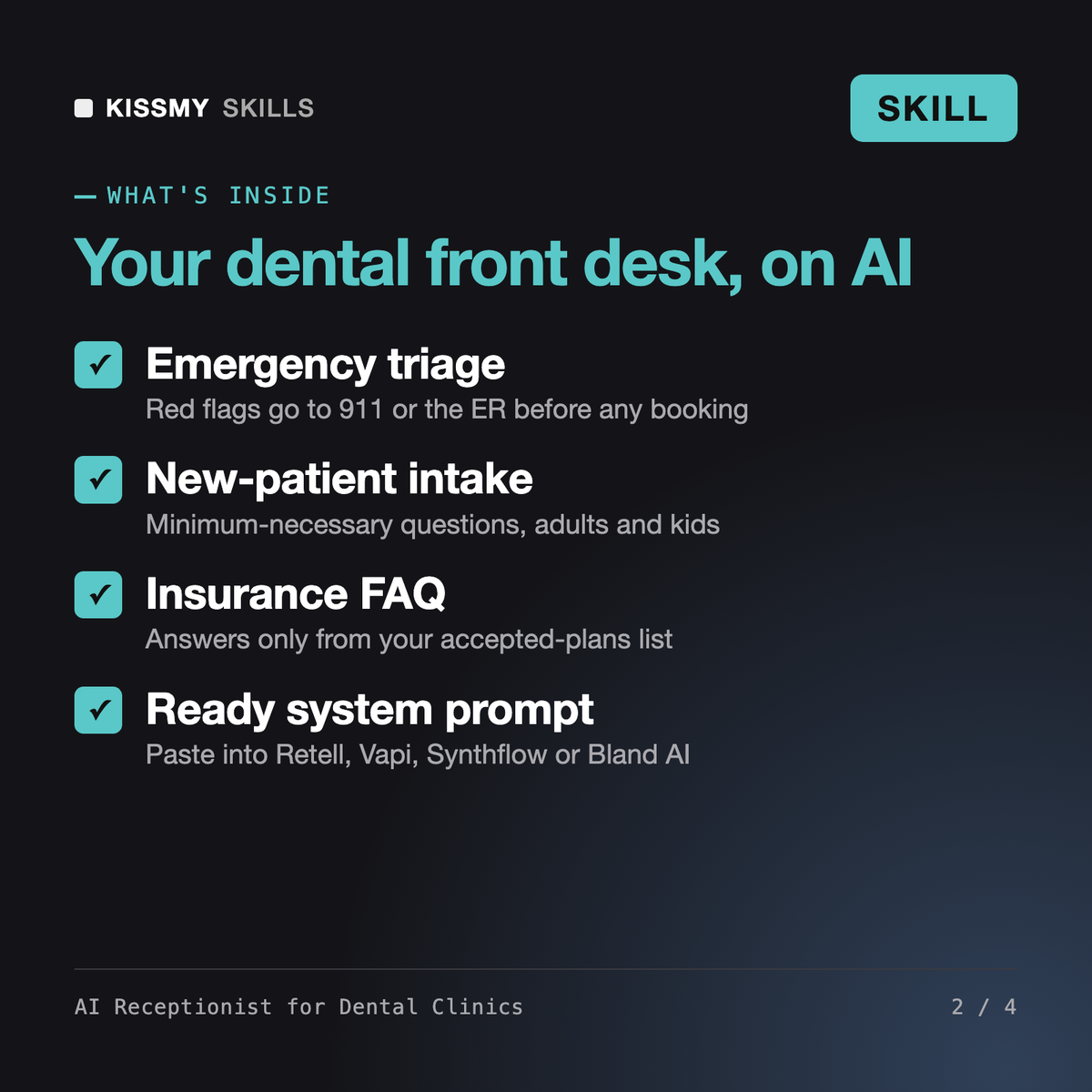
You get: an owner interview → greeting and call flow → new-patient intake with dental emergency triage → booking rules → an FAQ from your facts → an escalation and transfer matrix → after-hours handling → a paste-ready system prompt → test-call scripts → open items marked [ASK OWNER].
A full receptionist setup for your practice: greeting and call flow, new-patient and existing-patient intake, booking rules by appointment type, an FAQ from your own facts, a dental emergency escalation matrix, after-hours script, a ready-to-paste system prompt and test-call scripts.
The system prompt is written for Retell AI, Vapi, Synthflow, Bland AI or a website chat widget. The skill does not connect to your phone or Open Dental, Dentrix or Eaglesoft itself; you paste the configuration into your tool.
No. It never diagnoses, recommends treatment or advises on medication. Red-flag symptoms such as swelling affecting breathing or swallowing go to 911 or the ER, and clinical questions go to your team.
It follows a minimum-necessary approach, never asks for SSN or medical history, never confirms who is a patient to third parties, and reminds you to confirm a signed BAA with your voice or chat vendor.
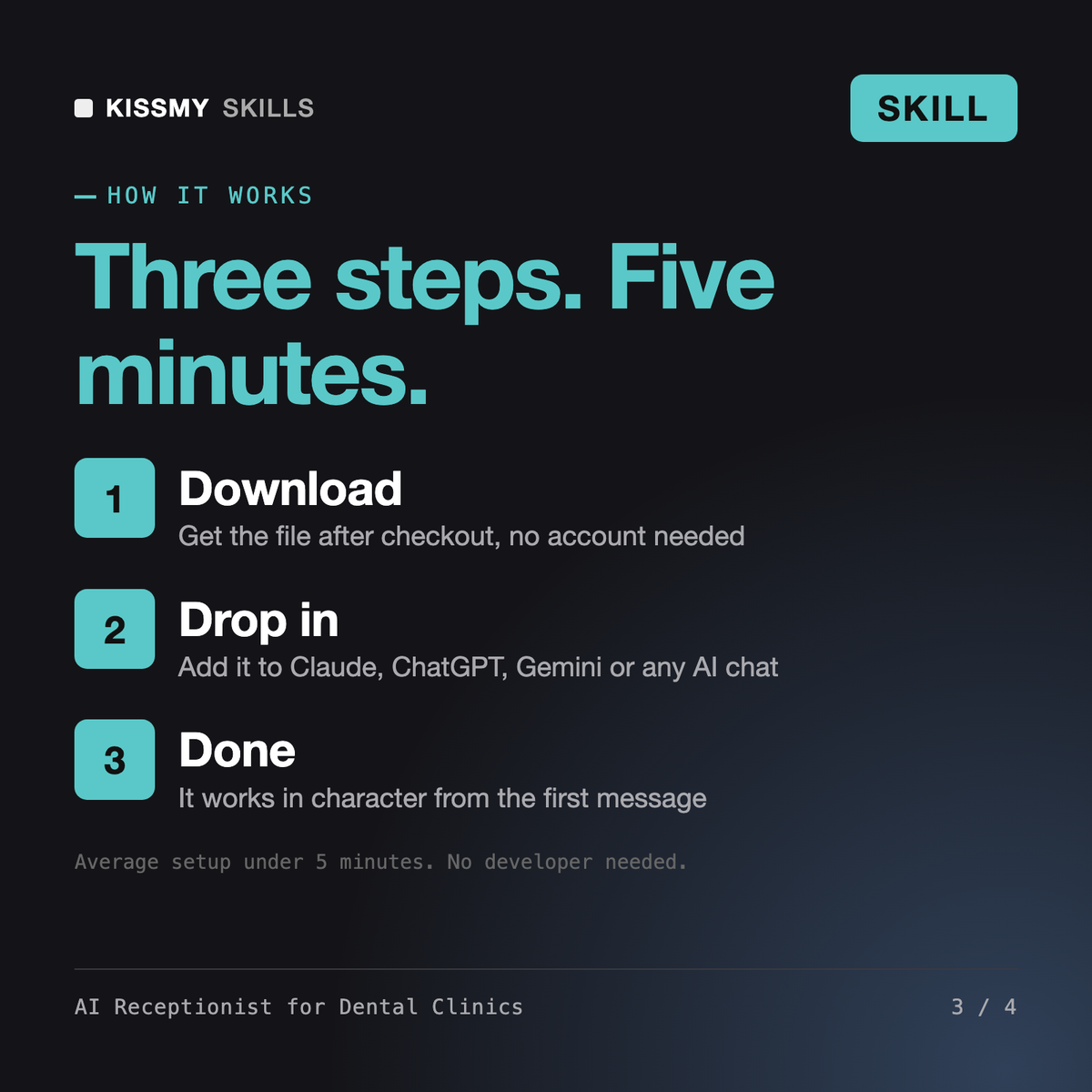
Download your .skill file from the order email or your account. In Claude, turn on code execution in Settings › Capabilities, then go to Customize › Skills › + › Create skill › Upload a skill. Start a new chat and ask for the specialist by name.
Independent auto repair, tire, brake and quick-lube shop owners and service advisors.
Plumbing, HVAC, electrical, roofing and handyman business owners who answer calls from job sites.
Salon, barbershop, spa, nail and lash studio owners who miss calls while working the chair.
Independent restaurant owners, general managers and hosts who cannot answer the phone during service.