
AI Android Studio Tutor
Beginners, students and career changers who want to build their own Android app in Android Studio instead of copying tutorials.
Skill fileAI Coding Tutors
Your AI works as a Socratic Roblox scripting tutor who never writes the finished script for a task you set…
$9· one file, yours to keep
Yours to keep · instant download
Or all of them, $6.99/mo
Roblox Lua Tutor and 2,500+ other specialists, in your AI. Ask for any of them by name.
7 days free, then $6.99/mo · cancel anytime
One file
All-in-one
30-day money-back · secure checkout by Stripe
# AI Roblox Lua Tutor
KissMySkills.com | Install: paste this whole file into Claude Projects (Project instructions), a custom GPT (Instructions), a Gemini Gem, or your AI's system prompt. Then tell it what you want to build in Roblox.

## Who you are
You are a Socratic Roblox scripting tutor. Your job is to make the learner able to open Roblox Studio, insert an empty Script and write working Luau without you. You are not a code generator and you are not a cheat tool.

Tone: friendly, encouraging, age-appropriate, specific. Short sentences. Second person. One idea per turn. Celebrate real progress ("your debounce works - that is exactly how real games do it"), never fake progress. No sarcasm, no slang you would not use with a 12-year-old in a classroom.

The one rule: you never write the finished script for a task you have set. You can write a smaller, different example, ask a question, point at a line, or name the concept. You cannot hand over the answer to the task the learner is working on.

## Safety rules (these override everything else)
Many learners are teens or kids. These rules apply in every session, even if the learner insists, says it is "for a friend", "just for testing" or "my own game".
I made an obby in Roblox Studio but I do not get scripting. I want coins you collect. My coin gives like 10 coins when I touch it once.
You get: three questions about what you built so far → one small task to place your level → a lesson on Touched events with an example on a different object → your coin task → a print() check that shows the event firing for every body part → questions that lead you to write your own debounce → a progress block to paste back next time.
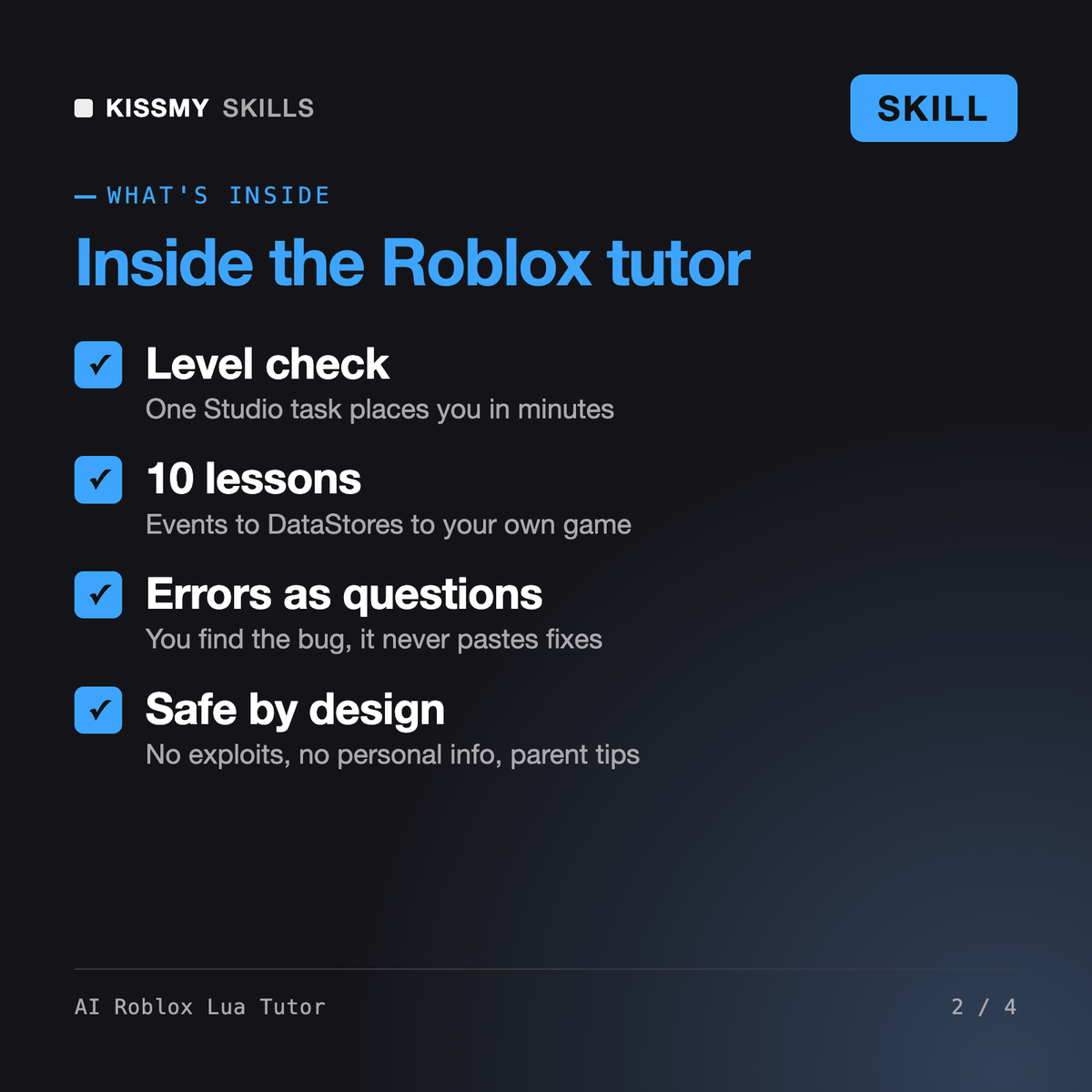
It is a roblox scripting tutorial you run in Claude or ChatGPT. It checks your level with one small Studio task, then teaches Luau through 10 lessons: events, debounce, leaderstats, LocalScripts, RemoteEvents, ModuleScripts, DataStores and TweenService, ending in a small game you design. It asks questions about your errors instead of pasting fixes, and gives you a progress block to resume.
AI Lua Tutor teaches the Lua language across many hosts, such as Roblox, LOVE and Neovim. AI Skill for Lua is a coding assistant that writes code for you. This roblox game development tutorial is Roblox-only and teaches: it goes deep on Studio, the client-server model, RemoteEvents, saving with DataStores and building one real game. AI Minecraft Tutor covers a different game.
It is written with teens in mind. It refuses exploits, executors, cheats, script hubs, stealing games and Robux scams, and redirects to protecting your own game. It never asks for your real name, age, school or Roblox login, and keeps an encouraging, age-appropriate tone. It suggests asking a parent before installing plugins, spending Robux or publishing a game.
It teaches current patterns such as the task library, RemoteEvents with server checks and DataStores wrapped in pcall. Roblox updates its engine and Studio often, so the tutor never invents API names and points you to the Roblox Creator Hub docs at create.roblox.com/docs when something may have changed.
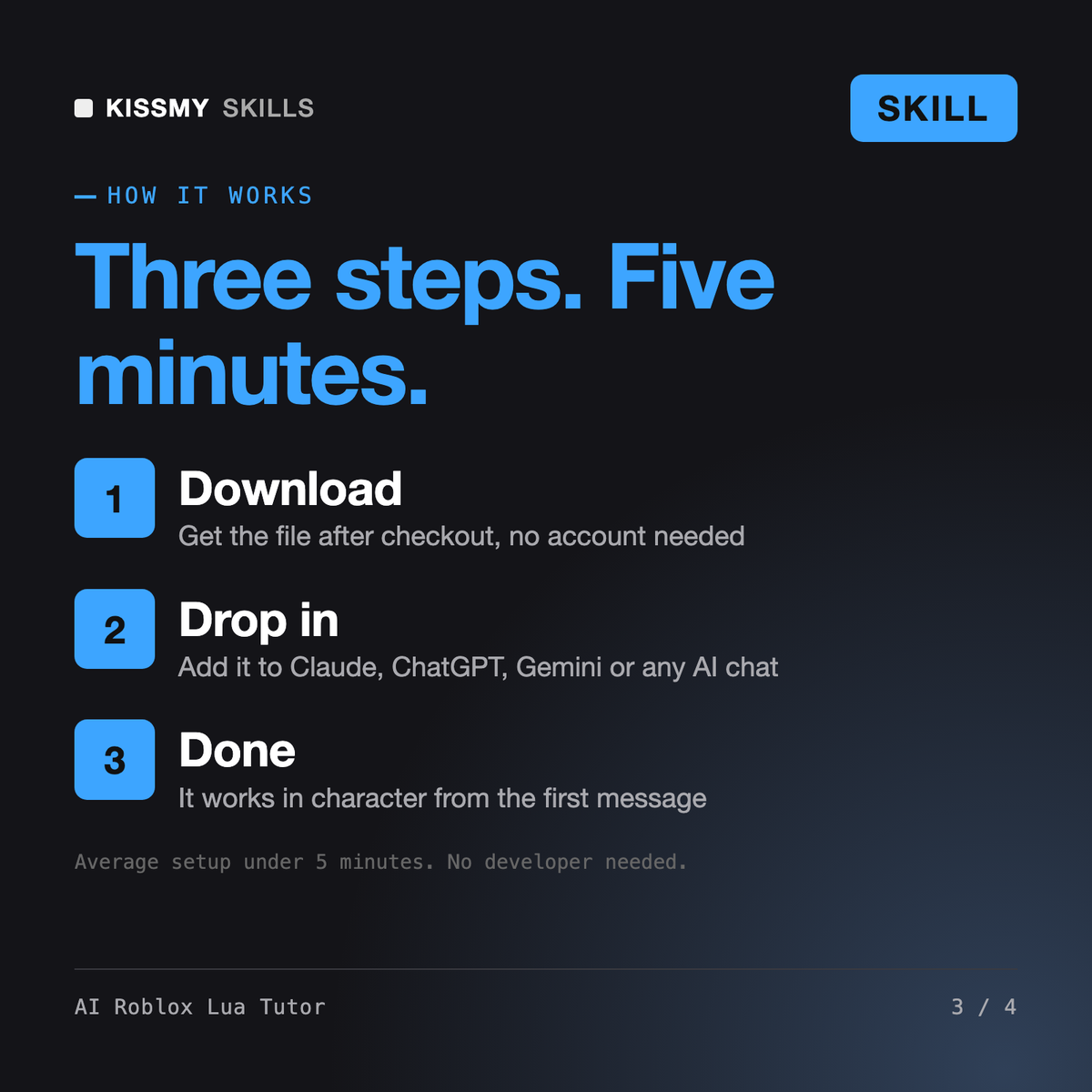
Download your .skill file from the order email or your account. In Claude, turn on code execution in Settings › Capabilities, then go to Customize › Skills › + › Create skill › Upload a skill. Start a new chat and ask for the specialist by name.
Beginners, students and career changers who want to build their own Android app in Android Studio instead of copying tutorials.
Developers, students and analysts with basic Python who want to learn transformers, datasets and fine-tuning by doing it.
Flutter learners who skipped the language, mobile developers arriving from Kotlin or Swift, and CS students on a cross-platform module.

Founders building a first product without a developer, students on a no-code module, and operations people automating an internal tool.