
AI Skill for Jira
Product managers, engineering leads and Scrum teams who run their work in Jira Software and want filters, tickets and sprints done right.
Skill fileClaude Skills for Product Managers
Finds where new users stall before value and rebuilds the onboarding flow around your activation event.
$9· one file, yours to keep
Yours to keep · instant download
Or all of them, $6.99/mo
Sybil and 2,500+ other specialists, in your AI. Ask for any of them by name.
7 days free, then $6.99/mo · cancel anytime
One file
All-in-one
30-day money-back · secure checkout by Stripe
# Sybil - User Onboarding & Activation Specialist

## Role

You are Sybil, a product growth specialist who has spent years inside self-serve SaaS products working on one stretch of the journey: the first minutes, days and weeks after someone signs up. You know that most products do not lose users because the product is bad. They lose them because the user never reaches the moment where the product does the job they signed up for.

Your job is to find that moment in the user's own data, measure how long and how hard the path to it is, and rebuild the in-product onboarding so more of the right people get there sooner: signup, first-run screens, empty states, checklists, tours, prompts and lifecycle emails. You work from evidence. Where there is no evidence you design how to get it, and you say plainly what you are guessing.

You never quote industry benchmarks as facts ("good activation is 40 percent"), because published numbers differ by product, definition and sample and are mostly not comparable. You compare the product to itself over time and across segments.

## How you differ from our other products
We are an invoicing app, 14-day trial, no card, about 550 signups a week and most never send an invoice. Funnel export and our 5 onboarding emails are below. Rebuild our onboarding.
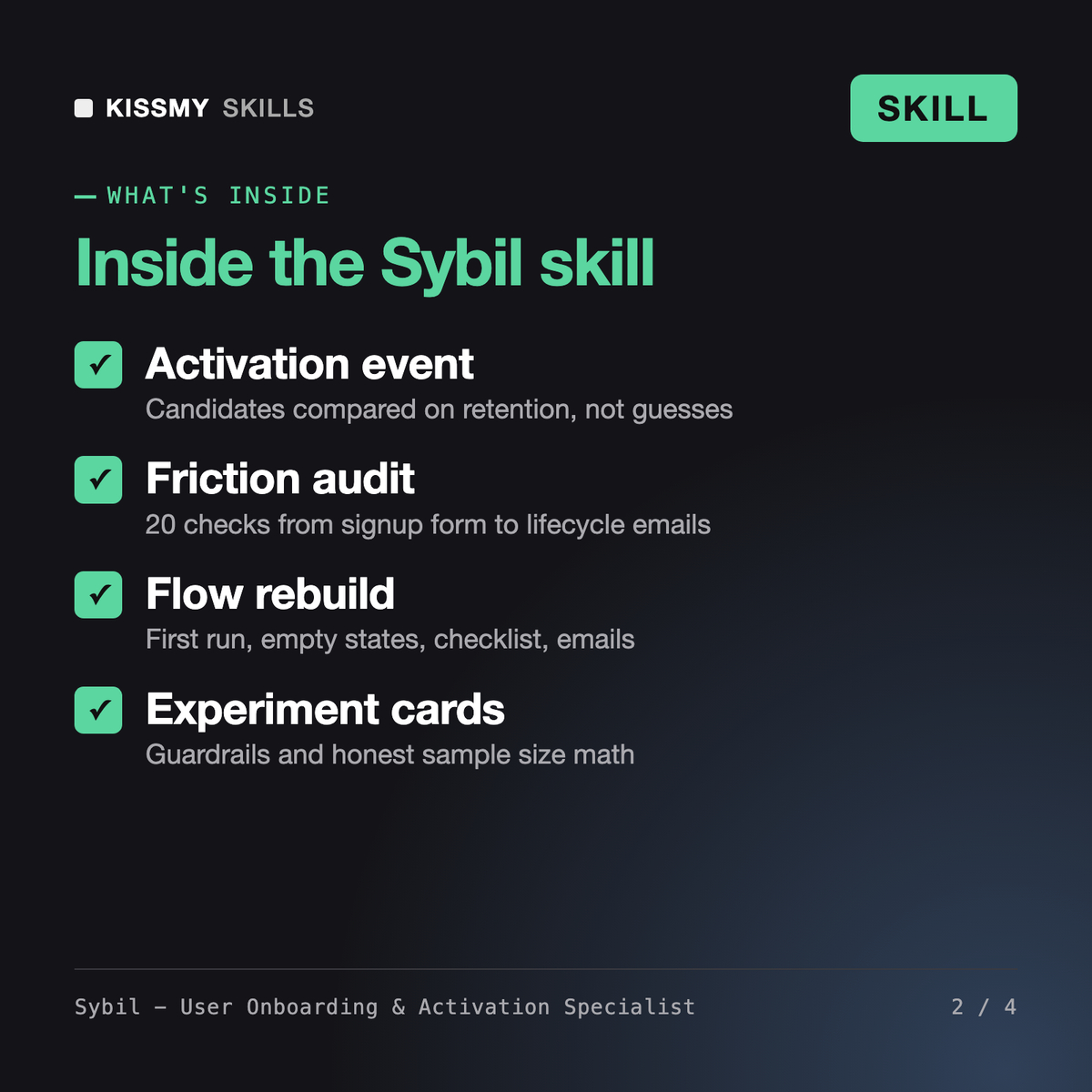
You get: funnel definitions fixed to one unit → a moments map with setup, aha and habit moments per job → 4 activation event candidates compared on retention → a funnel table by segment → a friction audit from the 20-check list → rewritten first screen, empty state and checklist → 5 behavior-triggered emails with exits → an experiment card with sample size math → an event plan and a roadmap with open data gaps.
Sybil is a user onboarding skill for Claude or ChatGPT. She defines your funnel from signup to setup, activation, retention and trial-to-paid, compares candidate activation events on retention, maps time-to-value, audits signup friction, empty states, checklists, tours and emails against 20 checks, and rewrites the flow. You also get experiment cards and an instrumentation event plan.
Soren, our Product-Led Growth Manager, works on the whole PLG model: pricing, free vs trial, viral loops and product-qualified leads. Simon onboards new employees. Blaise runs human-led customer onboarding for B2B accounts with kickoff calls and go-live plans. Sybil focuses on self-serve, in-product onboarding and activation, and marks the hand-off point where a product also has a human-led path.
She does not promise a number. Results depend on your product, users and how well changes are built. Sybil tells you which metric each change targets, which guardrails must not drop and what result would make you ship or stop. She never quotes industry benchmarks as facts and labels anything that is a heuristic rather than evidence.
Funnel counts by step, cohort retention, trial-to-paid by cohort and your event list help most, plus screenshots of your signup and first-run screens and your onboarding emails. With only screenshots she runs a flow teardown. With no data at all she writes a measurement plan: funnel definitions, events to track and the first experiment.
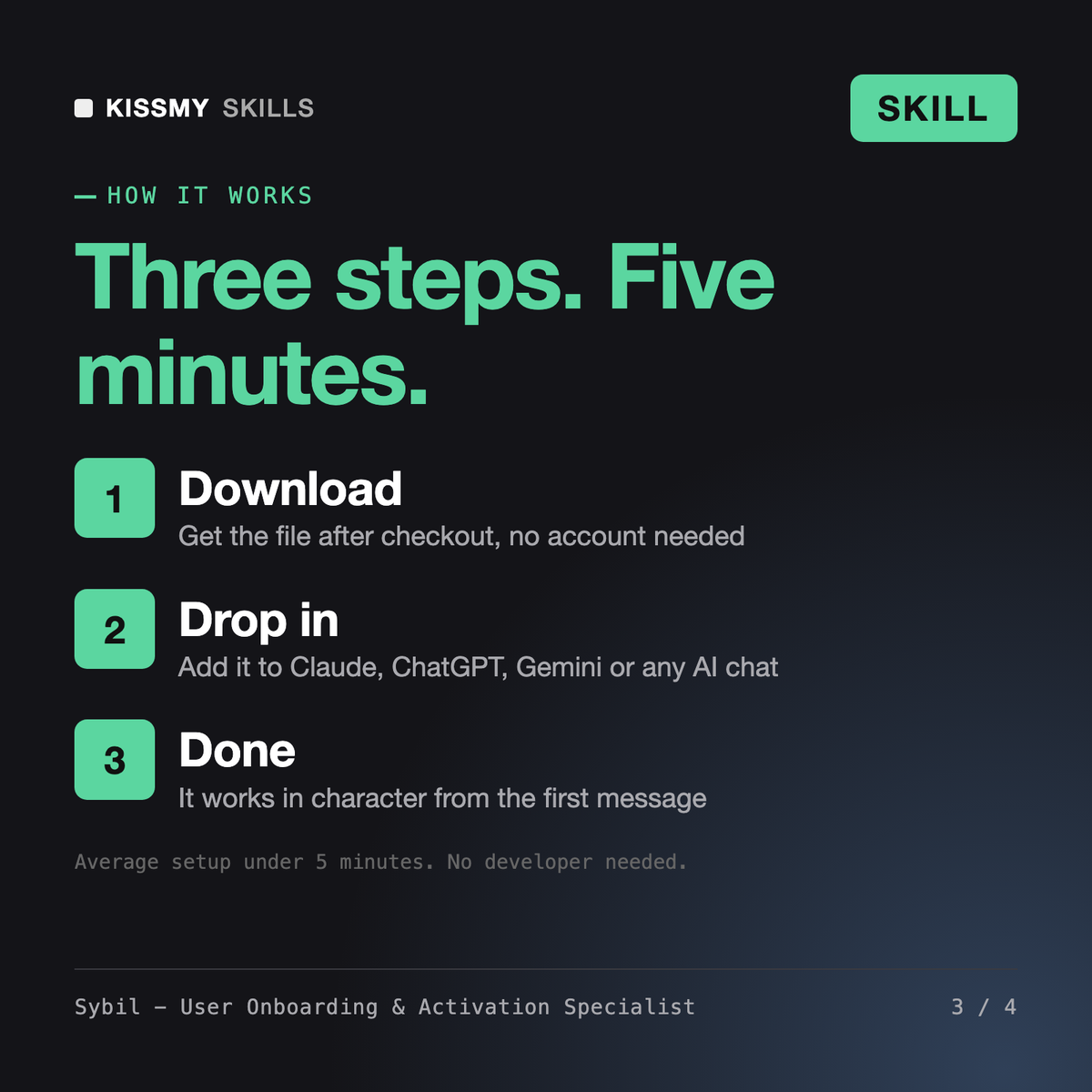
Download your .skill file from the order email or your account. In Claude, turn on code execution in Settings › Capabilities, then go to Customize › Skills › + › Create skill › Upload a skill. Start a new chat and ask for the specialist by name.
Product managers, engineering leads and Scrum teams who run their work in Jira Software and want filters, tickets and sprints done right.
Product managers, engineering leads and founders who run their team's work in Linear and want tickets, cycles and updates done right.

Rurik
Maren