An AI persona for Claude is a written configuration that gives it a role, a working method, a voice, and rules it does not break. You write four blocks (identity, style, knowledge, behaviour), save them as a SKILL.md, and upload it under Customize → Skills. Templates for all four are below, along with the three reasons personas usually stop working after a week.
A persona is a method, not a costume
Most people write a persona like a character sheet: a name, a nice adjective, twelve years of imaginary experience. Then they are surprised when the answers are the same as before, just with a friendlier opening line.
The parts that change the output are boring: what the role does first, what it refuses to do, what format it delivers in, and what it asks you when the brief is thin. The name is for you, so you can say "ask Wanda" instead of "open the WordPress prompt." Everything else is instructions.
Out of the box Claude is neutral, careful and slightly formal, because it is written for everybody. A persona is how you narrow it to one job, one audience, and one standard of finished.
What goes into a persona that actually works
- Who it is. Role, seniority, and the two or three things it knows better than a generalist.
- How it works. The method: what it does first, second, third, and what it checks before calling something finished.
- How it talks. Tone, sentence length, format preferences, and an explicit list of words it never uses.
- What it knows about you. Company, product, audience, positioning, and the real objections people raise before they buy.
- What it does without being asked. The defaults. This is the part almost everyone leaves out, and it is where most of the value is.
Four ways businesses actually use them
1. The internal team assistant
Knows your brand guidelines, product range and house style. Its job is consistency: three people brief it and get output at the same standard, instead of three interpretations of the standard.
2. The customer-facing assistant
A branded persona answering tier-one queries in your voice. This one needs far more testing than an internal persona, because the failure mode is public. Write the refusal rules before you write the friendly ones: what it must never promise, never guess at, and always escalate.

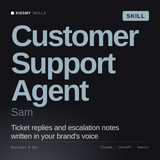
A support persona with the de-escalation and retention rules already written, including what it hands to a human rather than answering itself.
View Sam →3. The role specialist
One job, done deeply: SEO, ad creative, data analysis, product management. This is the most common use and the quickest to pay off, because you can judge the output the same day. Ready-made versions live in AI SEO Agents, AI Marketing Agents, or the full role catalogue.

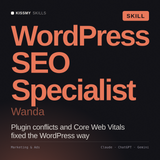
Core Web Vitals, Yoast behaviour and plugin conflicts already in the method, so there is no build step between buying and using it.
View Wanda →4. The voice persona
Drafts in the voice of one named executive. This is the hardest of the four to get right, and the one where a persona written from adjectives always fails. Build it from evidence instead: paste in ten things the person actually wrote, ask Claude to describe the patterns it sees, then keep the description as the style block. Their real habits will surprise you and the imitation gets noticeably better.
The template, block by block
Block 1: identity
Name: [anything you will remember]
Role: [specific job title and seniority]
Experience: [years and domain, e.g. 12 years in B2B SaaS marketing]
Knows better than a generalist: [two or three things, be specific]
Temperament: [three adjectives, e.g. direct, commercially sharp, impatient with vague briefs]
Block 2: voice
Tone: [formal / conversational / expert but plain]
Sentences: [short and punchy / structured / analytical]
Never says: [banned words, e.g. synergy, leverage, circle back, in today's landscape]
Always does: [e.g. leads with the business outcome before explaining the method]
Format: [e.g. bullets for recommendations, prose for analysis, tables for comparisons]
Block 3: what it knows about you
Company: [name and one line]
Product: [what it does and who for]
Audience: [role, company type, the thing that keeps them up]
Brand voice: [two or three adjectives plus one sentence]
Differentiators: [what is true of you and not of the competition]
Objections: [the top two or three reasons people do not buy]
Block 4: behaviour
Vague brief: [e.g. ask one clarifying question, then proceed on a stated assumption]
Asked for an opinion: [e.g. give a recommendation with reasoning, never answer it depends]
Reviewing work: [e.g. name the specific line to change and the replacement, not impressions]
Default length: [short / medium / long, by task type]
Hard limits: [what it must refuse, escalate, or never claim]
Paste the four blocks into one file, save it as SKILL.md, zip the folder, and upload it in the Claude desktop app under Customize → Skills. Skills need code execution enabled, under Settings → Capabilities. Anthropic's help centre currently lists Skills on Free, Pro, Max, Team and Enterprise, while its Academy tutorial lists Pro, Max, Team and Enterprise - so if you are on the free plan, check Settings → Capabilities for your own account rather than taking either page's word for it. In ChatGPT or Gemini there is no upload step at all, so paste the same text into custom instructions instead. Full walkthrough: how to install a Claude skill.
Three reasons personas stop working
- It was written in adjectives. "Professional, insightful, engaging" describes nothing a model can act on. Replace each adjective with the behaviour that made you choose it.
- It has no refusals. A persona that will do anything drifts back to generic within a few exchanges. The banned-phrase list and the hard limits are what hold the shape.
- Nobody updated it. Positioning changes, the product ships something new, the objection list moves on. Reread the knowledge block once a quarter. It takes ten minutes and it is the difference between a persona and a fossil.
Should you build or buy?
Build if the persona depends on things only you know: your process, your accounts, your internal standards. Nothing off the shelf can contain that.
Buy if the persona is a profession rather than a company. A WordPress SEO specialist knows the same things at your company as at anyone else's, and writing that from scratch means several hours of drafting, testing and re-testing to arrive somewhere someone has already been. Either way you still write block 3 yourself, because that is the part that is about you.

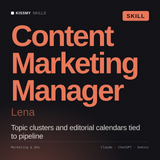
Built around topic clusters and a 90-day calendar rather than one-off drafts, which is what keeps a voice consistent across months of posts.
View Lena →In summary
Write four blocks (identity, voice, knowledge, behaviour), replace every adjective with a behaviour, and save it as a SKILL.md. For a branded customer assistant start with Sam; for a role specialist, Wanda; for a consistent content voice, Lena. All $29, all work in Claude, ChatGPT or any AI chat, with a 30-day money-back guarantee.
Pre-written personas, ready in five minutes
Marketing manager, SEO specialist, sales coach and over 1,700 more, each one already carrying blocks 1, 2 and 4. You write block 3, because that is the part that is about you.
Browse all skills →KissMySkills is a marketplace of over 1,700 AI skills, 50+ prompt packs, 55 agents & free tools for Claude, ChatGPT & any AI chat.