GitHub Copilot vs ChatGPT for Coding: Which Actually Helps

GitHub Copilot actually helps most inside the editor, where it's already looking at your open files and can autocomplete the next few lines with real context. A general chat tool actually helps most for the work that happens outside a single file: explaining an unfamiliar codebase, planning a refactor across multiple files, debugging an error with the full stack trace pasted in. They're solving different problems, not competing for the same one.

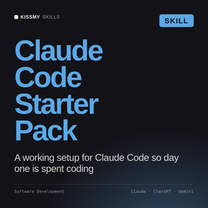
Claude Code Starter Pack
Set up right from day one
Claude Code Starter Pack
Drop this into Claude and get a working setup for agentic coding: project config, workflow patterns, and the habits that make Claude Code useful from the first session.
$19
Get the skill →

Copilot vs. a chat-based AI for coding tasks

Task Which actually helps
Autocompleting the next few lines while typing Copilot, it has real-time editor context
Explaining an unfamiliar codebase Chat-based AI, better at reasoning across many files
Debugging with a full error stack trace Chat-based AI, easier to paste in the full context
Planning a multi-file refactor Chat-based AI, better at holding the whole plan

How to use both without wasting time switching tools

  1. Let Copilot handle in-editor autocomplete. It's fast and low-friction for the lines you'd type anyway, just faster.
  2. Switch to chat for anything cross-file. Refactors, architecture questions, and debugging with full context belong in a chat interface, not inline suggestions.
  3. Paste real error output, not a paraphrase. Chat tools debug much better with the actual stack trace than a description of the problem.
  4. Use an agentic coding tool for multi-step tasks. When a task spans several files and steps, a tool built for that workflow outperforms either autocomplete or plain chat.

Where teams over-rely on AI coding tools

  • Accepting Copilot suggestions without reading them. Inline suggestions can introduce subtle bugs that are easy to miss when accepted reflexively.
  • Pasting code into chat without the surrounding context. A snippet without imports, types, or the calling code usually gets a worse answer.
  • Treating AI output as reviewed code. Both tools still need a human review pass before anything ships to production.

Related reading: AI presentation generators compared. See also AI code review tools.

Frequently asked questions

Is GitHub Copilot better than a chat-based AI for coding?

Neither is universally better, Copilot excels at in-editor autocomplete while chat-based tools handle cross-file reasoning and debugging better.

Can I use Copilot and a chat AI together?

Yes, many developers use Copilot for inline suggestions and switch to chat for anything requiring broader context.

What's the best way to debug with AI?

Paste the actual error and stack trace rather than describing the problem, AI tools debug far more accurately with real output.

Should AI-generated code be reviewed before shipping?

Yes, always. Both autocomplete and chat-generated code need a human review pass before going to production.

What's an agentic coding tool, and when should I use one?

A tool that can plan and execute multi-step coding tasks across files, useful when a task is bigger than a single autocomplete or chat answer.

The bottom line

Copilot and chat-based AI solve different coding problems: fast in-editor autocomplete versus cross-file reasoning and debugging. Use both for what they're actually good at, and review everything before it ships.

Browse all development skills in the Claude skills collection at KissMySkills.

~/get-started

實用的 Skills。不說空話。

瀏覽商店中的每個技能、prompt 套件和 agent。

瀏覽所有技能 →或試試免費工具