Zapier + AI: Building Your First No-Code Automation Workflow

Zapier connects apps by watching for a trigger in one and firing an action in another, and adding AI to that chain means the action itself can now write, summarize, or decide instead of just moving data around. A first workflow doesn't need to be clever: pick one repetitive task you do between two tools every day, and let a trigger-action pair with an AI step in the middle handle it while you build confidence with the platform.

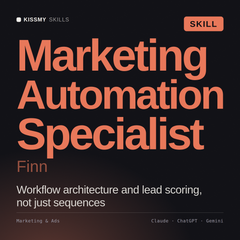
Finn - Marketing Automation Specialist AI Skill
Start with one workflow, not ten
Finn - Marketing Automation Specialist AI Skill
Drop this into Claude and map out the exact trigger, AI step, and action for the specific repetitive task you want automated, before you touch Zapier's editor.
$29
Get the skill →

Building your first workflow, step by step

  1. Pick one specific, repetitive task. "Summarize new form responses and post them to Slack" beats "automate my marketing," which is too broad to build in one sitting.
  2. Identify the trigger app and event. A new row in a spreadsheet, a new form submission, a new email matching a filter, whatever kicks off the task today manually.
  3. Add an AI step (a "Zap" action using an AI app or OpenAI/Claude integration). This is where summarizing, drafting, or classifying happens, the part a plain data-moving automation couldn't do.
  4. Set the final action. Where the AI's output actually goes: a Slack message, a new spreadsheet row, an email draft.
  5. Test with real data before turning it on fully. Run it against a handful of real examples and check the AI step's output quality before it runs unattended.

What's realistic to automate with AI in the loop

Task How AI fits in
Summarizing incoming form responses or support tickets AI step condenses long text into a short summary before it's routed
Drafting a reply to a common inquiry type AI drafts based on the incoming message, a human still reviews before sending
Categorizing or tagging incoming leads AI classifies based on content, routing to the right list or owner
Turning a meeting note into a task list AI extracts action items from unstructured notes into a structured format

Where first-time automations go wrong

  • Trying to automate the whole process on day one. Build the smallest useful version first, expand once it's proven reliable.
  • No review step for AI-generated output that goes external. An AI-drafted reply auto-sent to a customer without review can go out with an error nobody caught.
  • Not testing edge cases. A workflow that works for a clean example can break on an empty field or an unusual format, test a few messy real examples before trusting it.

Related reading: how to build a custom AI chatbot for your website. See also Slack AI bots: what they automate.

Frequently asked questions

Do I need to know how to code to build a Zapier AI workflow?

No, Zapier's editor is entirely no-code. Connecting an AI step usually means selecting an AI app integration and writing a plain-language instruction for what it should do with the incoming data.

Which AI tools can I connect to Zapier?

Zapier supports integrations with several major AI providers directly, plus a general-purpose AI action step in many plans. Check Zapier's app directory for the current list before building around a specific one.

Is it safe to let AI send messages automatically without review?

For internal, low-stakes messages, often fine once tested. For anything customer-facing or high-stakes, add a review step (a draft that a human approves) rather than fully automating the send.

How much does a Zapier + AI workflow cost to run?

Costs come from Zapier's own plan tier (based on task volume) plus usage costs from whichever AI provider you connect, if it isn't bundled into Zapier's own AI features. Check both before scaling a workflow to high volume.

What's the most common first automation people build?

Summarizing and routing new form submissions or incoming leads, it's a narrow, well-defined task with a clear trigger and action, making it a good first project to learn the platform on.

The bottom line

A first Zapier + AI workflow should be small and specific: one trigger, one AI step, one action, tested against real examples before it runs unattended. Once that one is reliable, expanding to a second or third workflow is far easier than trying to automate everything at once.

Browse all business and automation skills in the Claude skills collection at KissMySkills.

~/get-started

實用的 Skills。不說空話。

瀏覽商店中的每個技能、prompt 套件和 agent。

瀏覽所有技能 →或試試免費工具